
Microsoft integration
Easily streamline access with Single Sign-On using Microsoft, ensuring seamless authentication and security. Deployment is simplified with Microsoft Endpoint Manager, while Entra ID groups help manage user permissions efficiently. Store and manage data securely with Azure Blob Storage, and gain powerful insights by integrating with Microsoft Power BI for advanced reporting and analytics.

Google integration
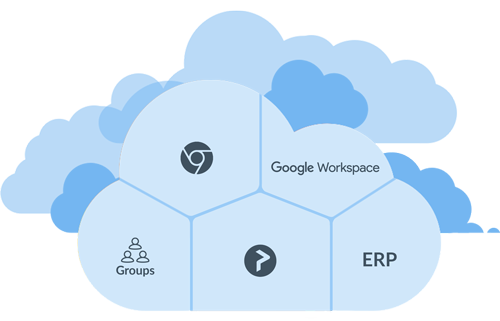
Enable seamless access with Single Sign-On using Google, ensuring secure and efficient authentication. Deployment is straightforward with an MSI file, while Google Groups simplifies user management. Store and manage data securely with Google Cloud Storage, and enhance printing capabilities with Printix for Chromebook, providing a smooth and integrated printing experience.

Printix Mobile Print allows users to easily print from any Android or iOS device to any printer managed by Printix. This solution is suitable for both corporate and guest users, as it works seamlessly with any printer connected to the Printix cloud-managed print system.
As a fundamental feature of Printix, there are no additional charges for this module. When you send a document to the Printix Anywhere print queue, you can move between different locations and printers, releasing your document at the printer of your choice.
As print environments become increasingly complex, IT teams and employees face challenges with disconnected and inefficient print and capture solutions. Tungsten Automation’s Hybrid Cloud Solution addresses these challenges by providing a unified approach that meets specialized requirements, supports remote workforces, and tackles compliance issues. By integrating Printix, ControlSuite, and Power PDF, this solution offers cost efficiency, accessibility, and enterprise-grade features to simplify management across both cloud and on-premise infrastructures.
Employees can print from any location, including their home printers, while IT retains centralized control over reporting, audit trails, and compliance. Power PDF boosts employee productivity by enabling seamless document creation, editing, and conversion, which streamlines workflows alongside printing tasks. Advanced features such as automated print driver management and real-time usage analytics help reduce complexity, enhance security, and improve productivity for both IT and employees.

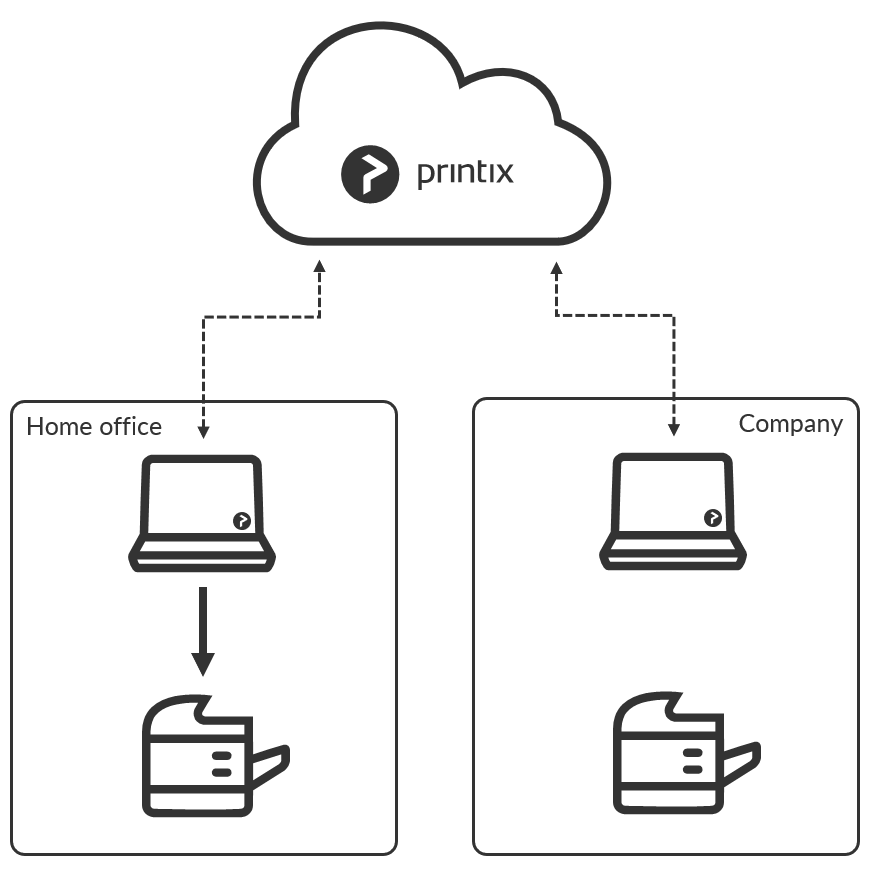
This functionality enables employees to print on home office printers when working from home on their work-authorized laptop. Home office printing is enabled by making a group in Azure AD with the relevant computers. Company IT can then easily manage and control company-related printing on employees’ home office printer.
It’s easy to onboard home workers with Single Sign-On (SSO) via Azure AD, and IT teams can quickly deploy the solution using Microsoft Endpoint Manager. When employees use a company laptop, their home printer’s print queue is added automatically, ensuring seamless printing. To keep things efficient, home office networks uninstall themselves if unused for two months. The system also smartly separates personal and company printing, allowing businesses to track company-related print jobs on home printers. This data can even be used to reimburse employees for business printing expenses, providing a clear and fair way to manage costs.
Printix Power BI solution provides you with a low-cost open source data analytics product, adding more value to the Printix cloud print management solution. The Printix Power BI template is designed to provide valuable insight into print usage showing statistics for users, printers, workstations, print queues, locations and historic data.
Gain valuable insights into how printers are utilized, the performance of devices, and the usage of consumables like toner and paper, along with service messages and additional information. Understand how your organization employs printers across various locations, track individual user activity by monitoring print jobs and page counts, and analyze workstation setups and the overall details of the printer fleet. Explore print queue configurations to ensure optimal setup and receive a clear breakdown of print costs by user, department, or printer, which facilitates better cost management and resource allocation.
Printix for Chromebook is a productivity extension for Google Chrome that allows users to print from their Chromebook using Printix managed printers that connect to Wi-Fi or a wired network. Printing is enabled on Printix managed printers that are configured to print via the cloud. Documents remain secure during transfer over the Internet as the document itself and the communication are both encrypted.
- Gives users Single Sign-On (SSO) to Printix with their G Suite account
- Use Google groups to deploy and control access to printers based on users’ group membership.
For secure Print Anywhere printing you can enable storage of pending documents in your Google Cloud Storage. That way, the user’s computer does not need to be online to release print later and print anywhere documents. Once you have added cloud storage, documents printed Via the cloud will go via your cloud storage, rather than the Printix Cloud.
If your cloud strategy already includes Microsoft Entra ID, you can seamlessly integrate Printix as the final component. With Single Sign-On through Microsoft Entra ID, you can manage all users based on policies, regardless of their device or location, enhancing security while reducing IT and administrative burdens.
Our cloud-based printing solution is endorsed by Microsoft and is featured as a preferred option on the Azure Marketplace.
- Entra ID single sign-on for Printix
- Password management through Entra ID
- Built-in redundancy
- Rapid deployment
- Scalable to meet demand
Effortless Deployment with Microsoft Endpoint Manager
You can easily deploy the Printix Client using Microsoft Endpoint Manager. Additionally, by enabling Entra ID/Office 365 authentication, users will be automatically registered the first time they log into the Printix Client with their Microsoft work or school account. Signing into the Printix Client is automatic for Windows 10 computers that are joined to the Entra ID domain.
Azure Blob Storage
To facilitate secure Print Anywhere printing, you can store pending documents in your Azure Blob Storage. This means that the user’s computer doesn’t need to be online to release prints later or access print anywhere documents. Once cloud storage is set up, documents printed via the cloud will be routed through your cloud storage instead of the Printix Cloud.
Support for Microsoft Universal Print
For organizations utilizing Universal Print by Microsoft, Printix enhances functionality with flexible, secure, and mobile printing options. Printix allows customers to print directly through the Printix Client, enabling the use of Universal Print on existing printers without the need to install the Microsoft Universal Print connector.
On certain multifunction printers (MFPs) equipped with Printix Go, you can activate Printix Capture to send scanned documents directly to Email, OneDrive, and SharePoint Online. You can also utilize the Printix App on your mobile device to capture and send images as Word or PDF files to your chosen workflow destination. Printix Capture is currently compatible with HP, Konica Minolta, and Ricoh printers.
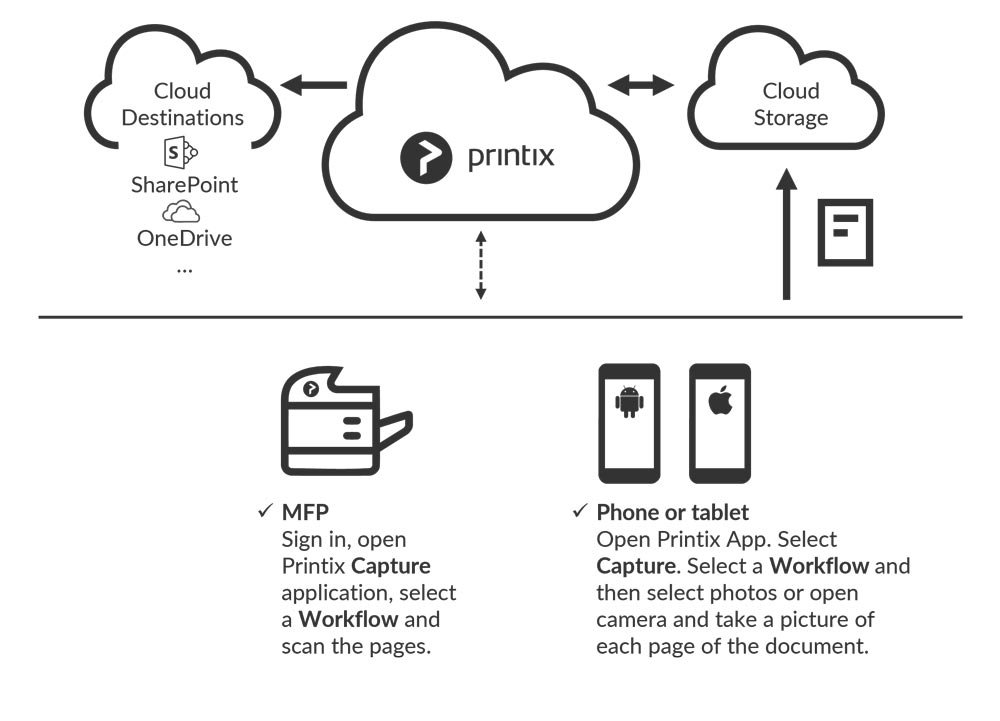
Scan and Scoot with Printix Capture
The easy-to-use scan function is accessible directly from the Printix Capture icon on the MFP touchscreen. One touch starts the entire process until the document is delivered to your desired workflow destination. This saves time by reducing excessive steps to get the job done. Use the Printix Administrator to create workflows for all users or selected users via group membership.
Mobile Capture
The Printix App offers a convenient way to capture and send images directly from your phone or tablet as Word or PDF documents to your chosen workflow destination. Simply open the Printix App, choose the capture option, select your workflow, and then either pick photos or use the camera to take a picture of each page of the document.
Document Digitization
Make your documents searchable. Documents can be converted to searchable PDFs or Microsoft Word files thanks to Kofax Optical Character Recognition (OCR) cloud technology. The full-text searchability feature can later help users find specific information from your many business documents.